Plumber buyer guide

Best AI chatbot for plumbers: capture the job before the phone rings.

A plumbing chatbot should not pretend to be a plumber. Its job is to collect the right details, answer from your own business content, and hand urgent or unclear jobs to a real person.

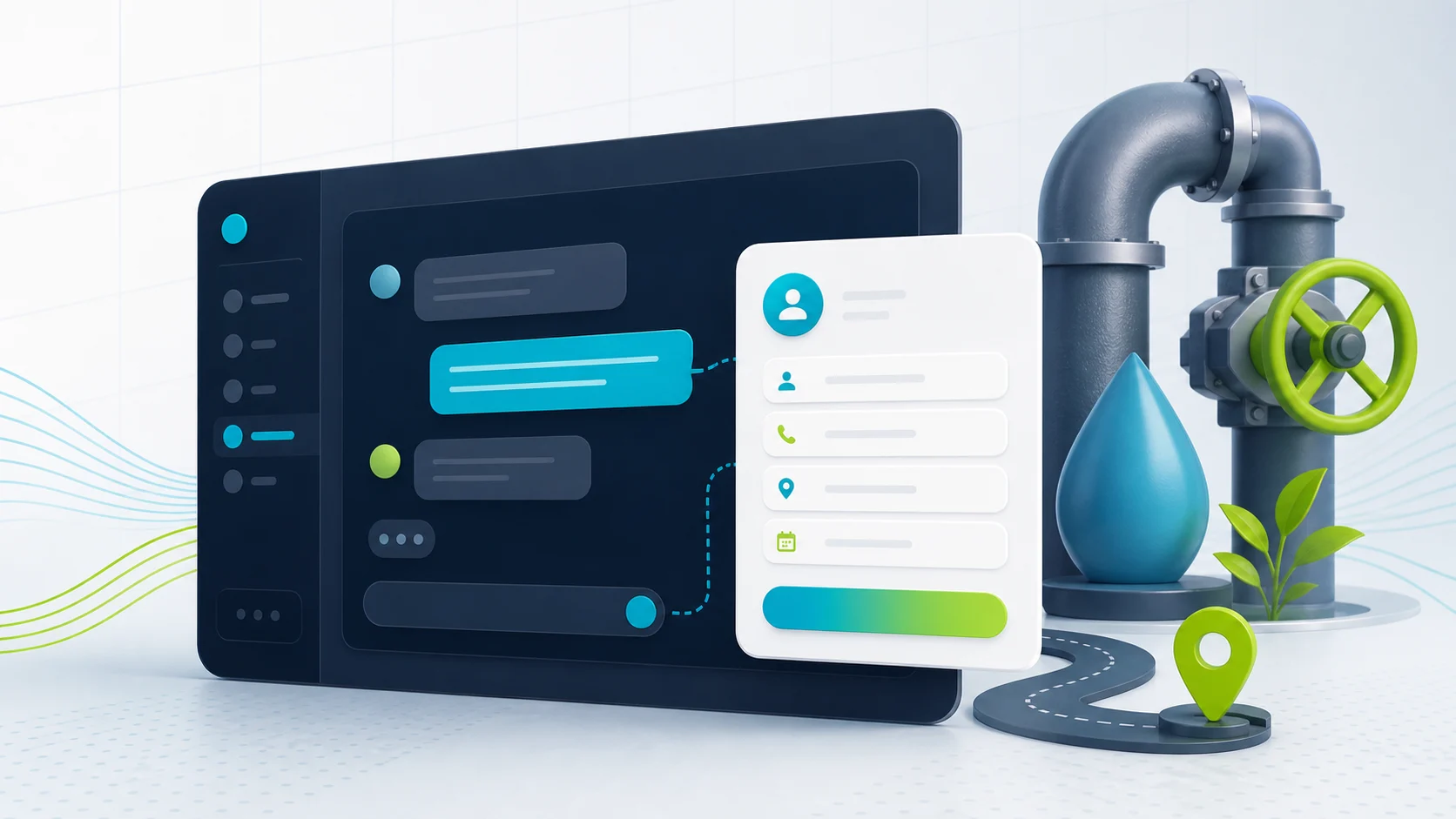
Editorial image showing a plumbing chatbot collecting leak and callback details.

What the visitor needs

Capture the leak before the phone rings.

The visitor says a pipe is leaking after hours. The chatbot collects useful details and routes the job.

What the chatbot should collect

Location
Suburb and access notes
Issue
Leak, blockage, hot water
Urgency
Active water, damage, after hours
Handoff
Brief to the business

Safe for the chatbot

Cleaner lead details, or a controlled estimate from approved pricing sources or tested calculator actions, for callback, triage, or booking follow-up.

Needs a person or approved process

No diagnosis, model-invented final price, emergency promise, or dispatch decision.

Short answer

Start with FastBots if you want a straightforward website-trained assistant to collect better enquiries. Look at Chatbase if source control is the main risk. Choose Tidio if live chat and inbox handoff matter. Consider ChatBot.com when you want a broader support workspace rather than a simple lead form replacement.

The first win is not an AI that fixes plumbing problems. It is fewer missed enquiries and cleaner job briefs: suburb, urgency, service type, contact details, photos or description, and the right callback path.

For the quote boundary itself, use the AI chatbot quote-request guide: it separates intake, approved price ranges, tested calculator actions, and final pricing before you let the chatbot near booking or job-system actions.

For a lower-risk estimate-intake example outside emergency work, compare the AI chatbot for painters guide: it focuses on rooms, surfaces, photos, timing, and human quote review.

For a water-related service example that keeps chemistry, equipment repair, and route commitments human-reviewed, see the pool service chatbot guide.

Pricing snapshot

What the active shortlist costs before you trial it.

Price is a primary filter for small plumbing businesses, so compare the current range and usage unit before choosing a chatbot.
Current as of 1 June 2026 - 7 June 2026

FastBots

Website AI chatbot

Website chat Small websites that want a trained chatbot without a broader AI-agent buildout.
Cheapest paid plan $33/mo annually Essential plan

Monthly: $39/mo

Includes: 2,000 message credits/mo across 2 bots; standard replies use 1 credit.

Typical price range
$0 to $399/mo; main paid plans run $39-$199/mo
What raises the bill
Message credits (1 standard reply = 1 credit; advanced models use 5-10), chatbot count, handoff, and branding gates
Check current price

Chatbase

Trainable website chatbot

Website chat Teams with help pages, files, Q&A, Notion, or support-ticket sources to manage.
Cheapest paid plan $32/mo annually Hobby plan

Includes: 500 message credits/mo, 1 AI agent, and 5 AI Actions/agent.

Typical price range
$0 to $400/mo annually; Enterprise is custom
What raises the bill
Message credits, AI agents, source limits, actions, seats, and add-ons
Check current price

Tidio

Website chat and support

Live support Stores that need live chat, AI help, and human handoff in one workflow.
Cheapest paid plan $24.17/mo annually Starter plan

Includes: 100 billable conversations/mo; Lyro AI is separate, with the first 50 conversations lifetime free.

Typical price range
$24.17/mo Starter to $749/mo Plus; Premium is custom
What raises the bill
Billable conversations, Lyro AI conversations, Flows visitors reached, and seats
Check current price

ChatBot.com

AI support workspace

Website chat Teams comparing AI agent, live chat, shared inbox, ticketing, and workflows in one Text workspace.
Cheapest paid plan $19/user/mo Essential plan

Monthly: $25/user/mo

Includes: 1 AI agent, 10 AI resolutions/mo, and 10,000 API calls.

Typical price range
$19-$79/user/mo annually; Enterprise is custom
What raises the bill
Per-user pricing plus included AI agents, AI resolutions, API calls, and workflow allowances
Check current price

Plumber workflow

The bot should make the callback easier.

A useful plumber chatbot is a filter, not a technician. It should separate urgent jobs from routine questions, collect the missing details, and avoid making promises about price, arrival time, or repair steps.

What matters most

What matters for plumbers

A quick read on what matters for this buying decision.
After-hours leads Core job
Job detail capture Core job
Service-area checks Reduce waste
Human handoff Trust
Booking path Test first
Final quoting Human review

First shortlist

Four tools to inspect first.

These are current ChatbotEdge-reviewed tools that can fit plumber website-chatbot work. Specialist AI receptionist or field-service platforms may be better if you need phone answering, dispatch-board booking, or trade-software sync.

FastBots

Best for

Plumbing websites that need a simple site-trained assistant to ask service-area, urgency, contact, and quote-prep questions before a callback.

Check before choosing

FastBots is strongest as lead intake first. Its own lead-generation page supports scheduling links and Zapier or Make handoff, but not live booking inside the chatbot by itself.

Check FastBots

Chatbase

Best for

Plumbers with service pages, FAQs, suburb rules, pricing notes, or PDFs they want the chatbot to answer from with tighter source control.

Check before choosing

Good source control still needs maintenance. Do not assume Chatbase Actions are safe for plumbing bookings or job workflows until that exact setup is tested.

Check Chatbase

Tidio

Best for

Plumbing teams that want AI plus live chat, ticketing, operating-hours handling, and a shared inbox for the office or owner.

Check before choosing

Tidio makes more sense when someone will manage the inbox. It is broader than a simple quote-request widget.

Check Tidio

ChatBot.com

Best for

Larger plumbing businesses that want a support workspace with a website widget, ticketing, workflow automation, reporting, and integrations.

Check before choosing

Treat it as a structured support setup, not a plumber-specific field-service tool. Check every downstream action before it touches bookings or quotes.

Check ChatBot.com

Intake flow

What the chatbot should collect before the callback.

Urgent job

The visitor has a burst pipe, blocked toilet, no hot water, flooding, or another time-sensitive issue.

Collect location and contact details, then route to the phone or emergency path the business controls.

Quote request

The visitor wants a price but has not explained access, job type, photos, or timing.

Ask for job type, suburb, urgency, property type, photos or description, and preferred callback time.

Service-area question

The visitor wants to know whether the plumber covers their suburb or postcode.

Answer from a clear service-area list and avoid guessing at edge suburbs.

After-hours enquiry

The visitor is browsing after the office is closed and wants to know what happens next.

Explain after-hours availability from approved copy, capture the brief, and set a realistic callback expectation.

Routine FAQ

The visitor asks about call-out fees, common services, warranties, prep steps, or how to send photos.

Answer from published service pages, pricing notes, policy snippets, or approved Q&A.

Setup checklist

Set the rules before you set it live.

Write the exact suburbs, postcodes, or service areas the chatbot can mention.

Create safe wording for emergency, after-hours, and callback situations.

Add service pages, FAQs, call-out fee notes, and policy snippets as sources.

Define the lead fields: name, phone, suburb, service type, urgency, description, and preferred callback time.

Tell the chatbot when to stop answering and send the visitor to a phone call.

Send every captured lead to a real inbox, dashboard, CRM, or workflow someone checks.

Review transcripts for missed questions before letting the bot near booking or quoting workflows.

Trust limits

What not to automate first.

The safest plumber chatbot is allowed to gather details, read approved pricing, and explain the next step. It should not diagnose the job, promise a final price from the model, or make emergency decisions that the business has not written and tested.

Diagnosing dangerous plumbing problems.

Step-by-step DIY repairs for risky issues.

AI-invented final quotes, price exceptions, arrival times, or emergency promises.

Booking, dispatch, or calendar edits that have not been tested.

ServiceM8, Jobber, Housecall Pro, Xero, or accounting sync unless the exact tool and workflow support it.

Anything that sounds like licensed advice or compliance advice.

Specialist tools

When a chatbot is not enough.

If the real problem is missed phone calls, dispatch-board booking, or field-service software handoff, a website chatbot may only solve part of it. That is where AI receptionist and trade-specific tools become worth comparing.

For this guide, we kept the shortlist to tools ChatbotEdge can describe from official sources. We do not claim those tools are native plumbing dispatch systems.

A practical split: use a website chatbot to capture and qualify the enquiry; use a specialist phone or job-management layer when you need live call answering, dispatch, calendar, or accounting workflows.

Phone-lead layer

If the lead starts with a call, inspect attribution before adding another chatbot.

CallRail is one phone-lead layer to inspect when the problem is missed plumbing calls, call/text attribution, or proving which campaign, search result, or page made the phone ring. Treat it as adjacent to the chatbot, not a replacement for job intake, emergency triage, dispatch, or final quoting.

This CallRail note is based on official product and pricing pages, not a hands-on ChatbotEdge account test. Recheck current plan, number, minute, text, recording/privacy, routing, and integration terms before treating it as your phone-lead layer.
FAQ

Plumber chatbot questions.

What should a plumber chatbot never decide on its own?

A plumbing chatbot should not diagnose faults, walk a visitor through DIY repairs on gas, hot water, or pressurised lines, judge whether a leak is dangerous, invent final emergency quotes, or promise an arrival time. Licensing, compliance certificates, and gas work belong to the licensed plumber. The chatbot collects suburb, issue, urgency, water-shutoff status, contact details, and photos when possible, answers from approved service and fee pages, and routes anything with active water, gas, or structural risk to the approved emergency phone wording immediately.

Reviewed

Which chatbot should a plumber check first?

FastBots is a strong first check for plumbers that mostly need cleaner enquiry intake: suburb, issue, urgency, water-shutoff status, and callback time captured during the chat and emailed to the office. Chatbase fits when service pages, fee notes, and safety wording need careful source control. Tidio fits when a person will run the inbox and live handoff during business hours. ChatBot.com fits larger plumbing teams that already use a wider support workspace with tickets and integrations.

Reviewed · Sourced from FastBots lead generation

What lead details should a plumber chatbot collect before handing off?

Collect name, phone, email if useful, suburb or postcode, property type such as house, apartment, strata, or commercial, issue category such as leak, blockage, hot water, gas, toilet, tap, drain, or burst pipe, urgency level, water-shutoff status, visible damage notes, photos when possible, access notes including pets and parking, and the preferred callback time. Capture whether the visitor is owner, tenant, real-estate manager, or builder so the right person signs off on the quote and pays the invoice. Hold short of an arrival time or a fixed emergency price.

Reviewed

Is a chatbot better than a phone line for a plumber?

It is not a replacement, it is a different shift. The phone stays the best path for active leaks, gas concerns, no hot water in winter, and any issue a plumber needs to triage by ear. A chatbot earns its place on quote requests, hot-water-system replacements, bathroom-renovation enquiries, and after-hours leads that would otherwise leave. Treat the chatbot as the form that fills out itself overnight, ask for water-shutoff status and photos early, and route active-water and gas language to the approved emergency phone wording with no model judgement on safety.

Reviewed

How should a plumber chatbot separate emergency work from scheduled jobs?

Treat them as two different lead types from the first question. Emergency keywords such as burst pipe, active leak, no water, no hot water, gas smell, sewage backup, or flooding should trigger the approved emergency phone wording immediately, alongside fast capture of suburb, water-shutoff status, and a callback number. Scheduled enquiries such as tap replacements, hot-water-system upgrades, bathroom renovations, and rough-in work need scope notes, photos, timing, and a normal callback path. Route the two streams to different inboxes so genuine emergencies are never queued behind a quote request.

Reviewed

Decision recap

If this, then that.

  • Start with FastBots — if non-urgent plumbing lead intake with property and callback routing is the main job.
  • Use Chatbase — if service-area, call-out fees, and safety wording must answer from approved sources only.
  • Pick Tidio — if a shared inbox, live chat, and operating-hours handoff are part of the job.
  • Route to a person — for burst pipes, gas, sewage, flooding, after-hours emergencies, or final quotes.