Live takeover
A human joins the same conversation
The visitor stays in the chat widget or inbox while the AI stops responding and a support agent continues the thread.- Agent inbox
- Live chat request
- Conversation takeover
- Availability rules
Human handoff
Some chatbots support live takeover, some create helpdesk tickets, some route to a support inbox, and some depend on plan settings or integrations. Check the handoff path before buying.
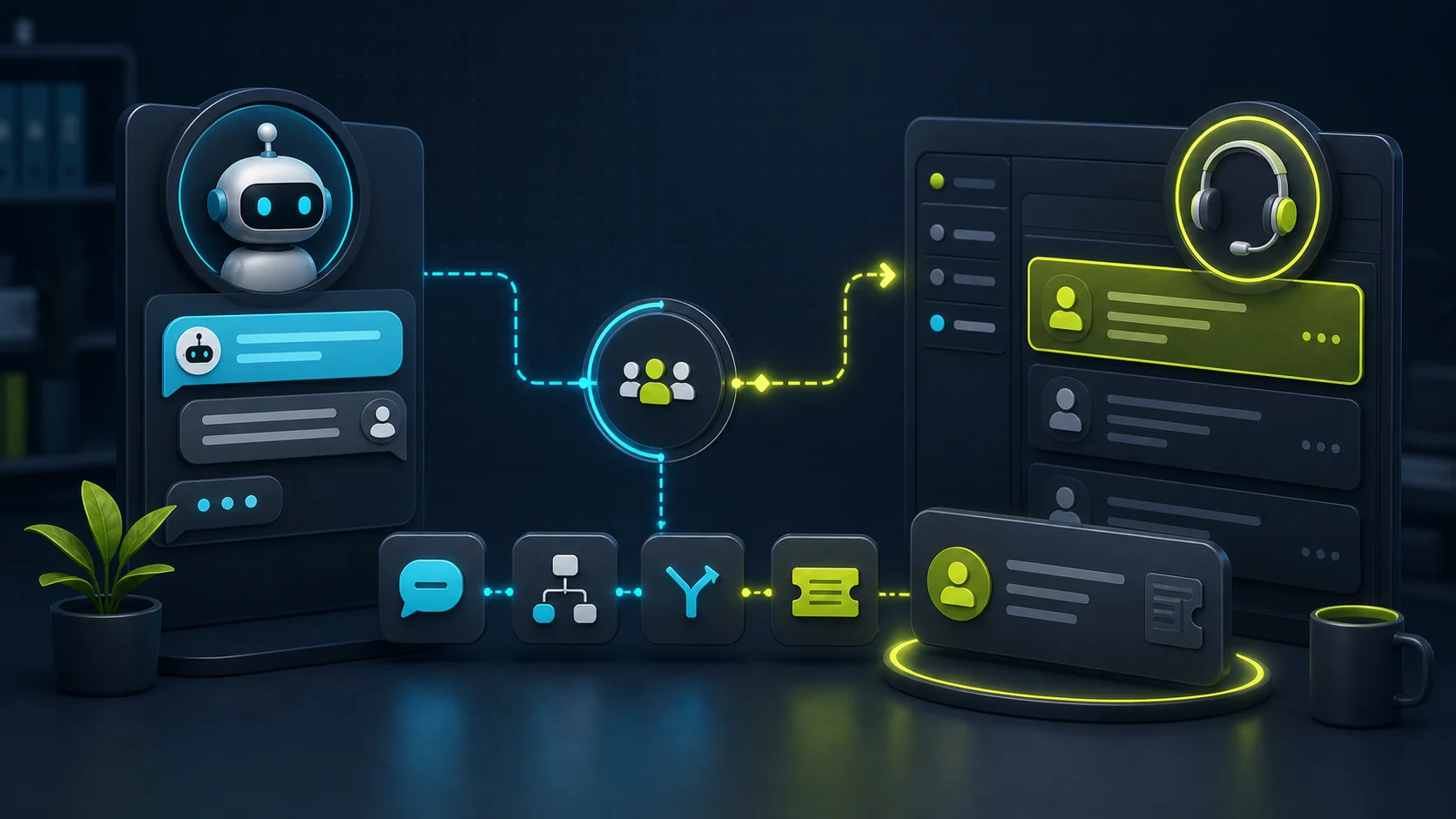
Tidio and ChatBot.com are the strongest first checks when the core need is a support workflow, because their handoff paths sit close to live chat, inbox, ticket, or LiveChat-style operations.
FastBots is worth checking for smaller sites that want trained answers plus live chat or human takeover on the right plan. Chatbase is strong when source control matters and the buyer wants either Chatbase Help Desk live chat or a helpdesk ticket escalation path. When the bot should collect a brief before stopping, pair this guide with the lead-capture capability guide.
For a buyer-intent workflow where handoff matters before commitments, see the real-estate chatbot guide: showing requests and listing questions need an agent-ready brief before any appointment or client-record action. For reception-heavy booking requests, use the salon and spa chatbot guide: service questions, policy answers, and appointment requests need handoff before treatment, payment, or client-record commitments. For a service-advisor workflow, use the auto repair chatbot guide: vehicle details, quote requests, symptoms, and appointment intent need a review path before diagnosis, pricing, or shop-system commitments. For the calendar-specific version of that question, use the appointment-booking chatbot guide.
Handoff types
Live takeover
Ticket escalation
Flow fallback
Hours logic
Tool fit
Good website-answer check
Trained chatbot plus takeover
Start here if
Small websites that need source-trained answers plus live chat or human takeover on the right plan.Before you choose
FastBots lists Live Chat with human takeover on Business and above. Confirm the current plan, notification routing, operator workflow, and offline behavior before relying on it.Good source-plus-escalation check
AI agent with inbox and helpdesk paths
Start here if
Teams that want source control and either Chatbase Help Desk live chat or escalation into connected helpdesk tools.Before you choose
Chatbase documents both live chat handoff and ticket-style human escalation. Test assignment, availability, contact collection, and ticket ownership separately.Strong support workflow
Support workflow and Lyro handoff
Start here if
Teams that want Lyro to hand off during online hours, create tickets, or route conversations differently when the team is offline.Before you choose
Check Lyro handoff settings, operator availability, online/offline rules, ticket behavior, and whether the chosen plan includes the needed AI and support package.Strong workspace path
ChatBot plus LiveChat/Text workspace
Start here if
Teams already considering ChatBot.com with LiveChat-style support operations and agent transfer inside a broader support workspace.Before you choose
ChatBot.com says human agent transfer depends on the LiveChat integration. Do not treat it as a standalone FAQ bot feature without that setup.Buyer jobs
A human handoff feature is useful only when it matches how your team actually works. A solo founder, ecommerce support desk, and helpdesk team need different escalation behavior.
| Buyer job | Best handoff path | Check first | Do not assume |
|---|---|---|---|
| Simple FAQ site with rare escalation | Live takeover or lead-form fallback | FastBots, Chatbase | Do not assume a human is available 24/7. |
| Busy support inbox | Live chat inbox or ticket queue | Tidio, ChatBot.com | Do not assume source control is enough for support operations. |
| Missing-answer fallback | Operator request, ticket, or clarifying form | Tidio, Chatbase | Do not let the AI improvise when the source is silent. |
| Helpdesk team with existing tools | Integrated helpdesk ticket or conversation | Chatbase, ChatBot.com | A ticket is not the same buyer experience as live takeover. |
| Local-service quote or booking request | Details captured for a human callback | FastBots, Tidio | The bot should not promise dispatch, price, or availability. |
Four-Handoff Test
Check whether handoff is user-requested, AI-triggered after uncertainty, tied to a flow action, or manually started by an operator.
Confirm that the transcript, contact details, source context, issue summary, and current page are visible to the person taking over.
A handoff is only useful if the right inbox, helpdesk, team member, or notification channel receives it quickly enough.
Ask whether the tool queues the chat, creates a ticket, collects an email, changes the message, or blocks live handoff entirely.
The bot stops cleanly, carries the transcript and visitor details forward, alerts the right owner, and shows a realistic offline path.
The feature exists, but the owner, notification, transcript, or after-hours behavior is unclear enough to test again before buying.
The bot keeps answering unsupported questions, loses context, promises a human who is not available, or sends the visitor to the wrong inbox.
Risk boundary
Hours, services, shipping, return windows, booking prep, product basics, and approved policy answers.
Name, email, order reference, quote brief, page context, and the visitor's question before the team replies.
Answer from approved content when available, then hand off if the source does not support a confident answer.
Create a support case only when the recipient, transcript, ownership, and expected response channel are clear.
A chatbot can collect requirements, but a human should review custom prices, discounts, emergency fees, and availability promises.
Sensitive account actions need authenticated workflows and human oversight unless you have tested the full integration.
Medical, legal, safety, security, emergency, and high-emotion support cases should route to a person quickly.
If the visitor repeats the same unresolved question, the bot should stop looping and escalate with context.
Trial script
The fastest proof is not a long demo. Ask a question the bot should not answer by itself, then watch whether it routes, records, and notifies the right person.
Use a clear request like "I need a person to help with billing" and check whether the trigger fires without extra loops.
Ask something your website or docs do not answer. The bot should avoid making up a policy and should route the gap cleanly.
Check whether the visitor sees a queue message, email capture, ticket creation, or a realistic response-time expectation.
The operator should see the transcript, visitor details, topic, and enough context to continue without asking the same questions again.
Sources used
This guide confirms documented handoff, live chat, ticket, and integration paths from public vendor sources, but it does not claim hands-on support response quality, operator speed, or production workflow performance. Source links were reviewed on June 6, 2026; recheck current vendor docs before relying on exact handoff triggers, plan gates, or offline behavior.
Next checks
A handoff-ready chatbot still needs reliable source answers and a usage model that will not become painful when conversations increase. If the handoff path is clear, use the plan picker to choose the first tier to inspect.
FAQ
Many do, but the quality varies. Some tools hand off to a shared inbox with full transcript and visitor context; others only escalate via email, a ticket, or a CRM record. Test the handoff path before launch.
Reviewed
No. Ticket escalation creates a follow-up record for the support team. Live chat handoff puts the visitor in front of a real person during the same session. Choose based on whether your team is staffed for real-time conversations.
Reviewed
No. Chatbase 's docs describe two different actions. The Live Chat action lets the agent hand over conversations to a human support agent on the Chatbase Help Desk, so the visitor stays in the widget while an agent joins in real time — useful when someone is staffing chat. The Escalate to Human action is built around tickets: the docs state it allows the AI agent to escalate a conversation to a human support agent and that you must first connect your helpdesk platform such as Zendesk, Salesforce, Intercom, Zoho Desk, Freshdesk, HubSpot, or Help Scout. Pick Live Chat when a person is online; pick Escalate when a ticket is the realistic next step.
Reviewed · Sourced from Chatbase Live Chat , Chatbase Escalate to Human , Chatbase Escalate to Human prerequisites
Yes, through the LiveChat integration. The help-center docs describe the Transfer action as a way to pass ongoing chats to human agents when human expertise is needed, and state that the chatbot can transfer a chat to a human agent, and a human agent can transfer a chat back to the chatbot. Transferred chats are tagged so the team can find them, and the bot can also send transcripts or open tickets at the moment of handoff. The dependency is that LiveChat is the staffed inbox, so this path only works if your team is set up to take chats live. The [implementation guide](/guides/best-practices-for-implementing-ai-chatbots-in-small-businesses) explains why this is usually the second integration to add, not the first.
Reviewed · Sourced from ChatBot.com and LiveChat integration
Write the triggers down before turning the action on. The reliable patterns are: explicit visitor request (a person, a real human, talk to support), repeated failure on the same question, a sensitive topic (billing, refund, legal, medical, safety), and any commitment the bot is not allowed to make on its own (final price, dispatch, account change). Keep the trigger list tight — a too-eager handoff floods the inbox and trains the team to ignore the channel. Pair every trigger with a fallback for when no human is available so the visitor still gets a useful next step, such as a callback form or a [lead-capture path](/guides/which-ai-chatbots-can-capture-leads).
Reviewed
Decision recap