Layer one
Answer from known sources
The assistant reads approved pages, docs, policies, products, or support content and answers inside clear boundaries.- FAQs
- Service pages
- Product details
- Policies
AI agents
Do not start with the label. Start with the job: answer questions, support customers, trigger actions, or build a custom agent system.
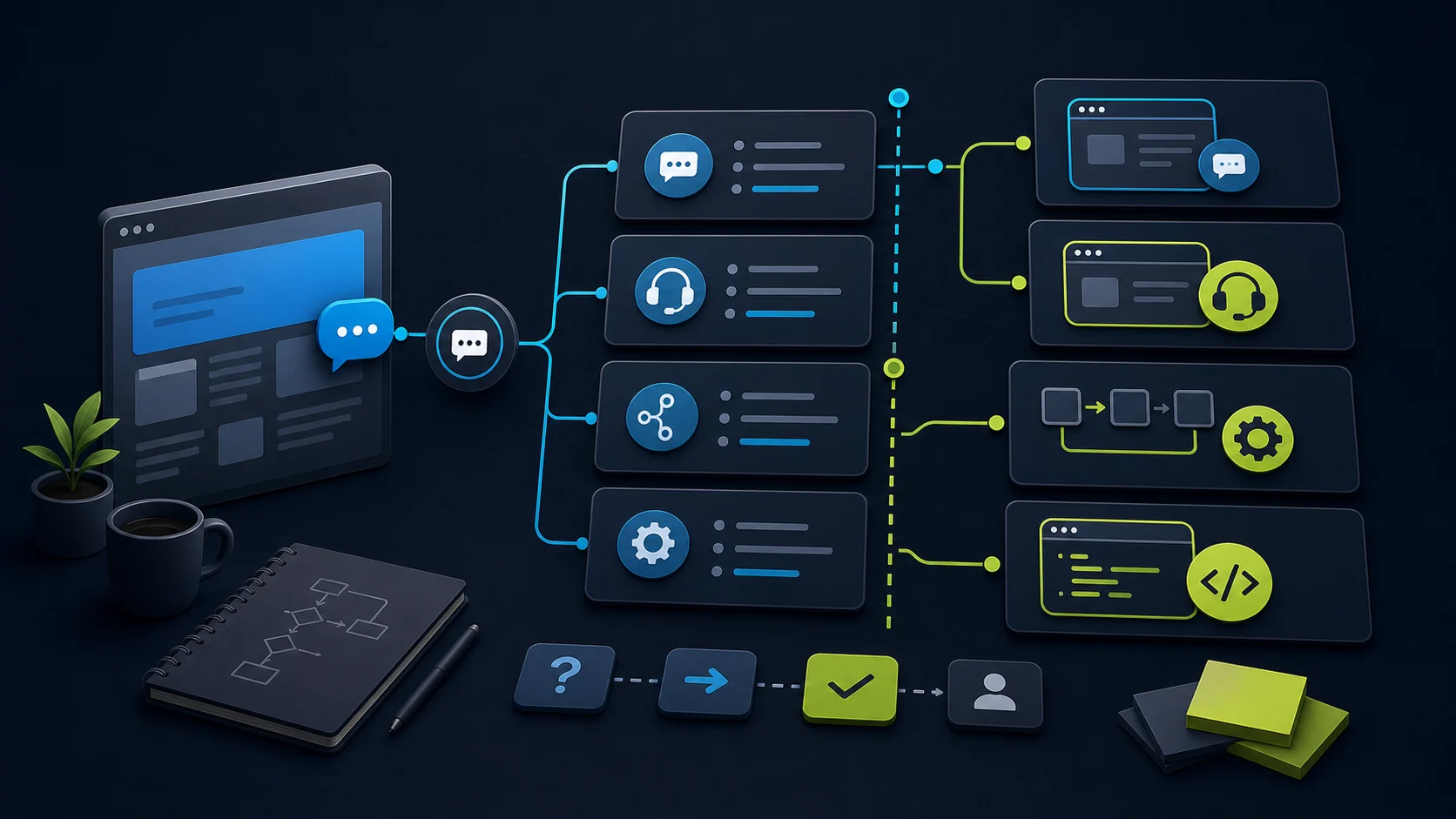
If your website needs better answers, start with a chatbot trained on your own pages, docs, policies, and product information. If your team needs cleaner escalation, choose a support AI agent with handoff and inbox controls.
Move into agent or automation territory only when the assistant must use tools, call systems, remember enough context to complete a task, or trigger actions outside the chat window. That is where permissions, testing, approvals, and recovery matter more than the word "agent".
Decision weighting
The useful split is not chatbot versus agent. It is whether the tool only answers, whether it hands off to a person, or whether it can trigger actions that affect customers, orders, calendars, records, or money.
Decision frame
Scope map
Layer one
Layer two
Layer three
Layer four
Workflow view
The starting point is a buyer, customer, or team member asking for help in plain language.
Strong chatbot work starts with the sources it is allowed to trust and what it should do when the answer is missing.
This is the split between a chatbot, support AI agent, and workflow agent. More action means more proof.
If the assistant was wrong or uncertain, the workflow needs a way to review, correct, and improve the next attempt.
What the chatbot should not decide alone
Use approved website pages, help docs, policies, pricing pages, product descriptions, and service pages.
Gather name, contact details, need, product, urgency, location, screenshots, or preferred callback time.
Send summaries, create draft tickets, suggest a booking link, or notify the right team when the action is reversible.
Anything that edits accounts, orders, billing details, calendars, or CRM records needs permission and testing.
Availability, final quotes, refunds, compliance advice, legal advice, and emergency claims should stay with a person.
Agents that call multiple systems need logs, approval gates, monitoring, rollback, and clear ownership.
Categories
Vendors use the same words differently. Before choosing a tool, pin down the job you actually need done.
Website FAQ chatbot
Answering common questions from your pages, docs, FAQs, policies, services, or product information.
Proof question
Check source quality, refresh cadence, answer boundaries, and what the bot says when it does not know.
FastBots, Chatbase, or ChatBot.com
Read the closer pathSupport AI agent
Customer conversations where the AI needs source answers, escalation rules, inbox context, and a clean human handoff.
Proof question
Check handoff quality, transcript visibility, channel support, unresolved questions, and team ownership.
Tidio, Chatbase, or ChatBot.com
Read the closer pathAction or workflow agent
Tasks that query orders, collect leads, book meetings, update records, send notifications, or trigger a downstream workflow.
Proof question
Check tool permissions, authentication, approval steps, audit trails, recovery, and what happens when the action is wrong.
Chatbase Actions, support workflows, or automation builders
Read the closer pathHosted agent builder
Teams that need a managed agent platform, company data connections, publishing controls, governance, and usage reporting.
Proof question
Check who owns data, permissions, publishing, logs, changes, billing, and ongoing operations.
Evaluate only after the workflow is clear
Read the closer pathCode-first agent app
Developer-owned products or back-office systems where the app controls tools, state, approvals, traces, and deployment.
Proof question
Check engineering maturity: tests, traces, approval gates, monitoring, rollback, and security boundaries.
Use as a benchmark, not a first simple-site install
Read the closer pathQuick comparison
Chatbot
Answers from known sources
Website FAQs, lead capture, product questions
When the task needs tool calls, approvals, or business-system changes
Support AI agent
Answers plus support workflow
Inbox handoff, live chat, ecommerce support, ticket routing
When the business needs custom backend logic or code-owned workflows
Workflow agent
Uses tools or actions
Order lookup, booking, CRM updates, notifications, data checks
When actions are not tested, authenticated, or recoverable
Hosted agent builder
Builds and governs agents
Business workflows, operations, team automations
When a simple customer-facing chatbot is enough
Code-first agent app
Developer-owned orchestration
Custom products, back-office systems, tool-heavy agents
When a small website just needs better answers and handoff
Practical routes
ChatbotEdge currently has published review paths for chatbot and support-agent tools. Broader workflow-agent builders should be evaluated only after product fit, pricing, source evidence, and commercial terms are clear.
If the main problem is repeat questions or missed enquiries, compare lightweight source-trained chatbot options first.
If humans still need to take over, inspect inbox workflow, handoff, team access, and unresolved-question handling.
When the assistant touches orders, carts, bookings, accounts, or billing details, test permissions and recovery before launch.
Benchmarks
Code agents and model-native agent frameworks help set expectations for tool use, handoffs, traces, approvals, and recovery. For most small websites, they are not the first commercial choice. They are a benchmark for what a serious agent system needs to control.
If you do not have someone to test, trace, approve, and maintain the workflow, start with a hosted chatbot or support agent before building a custom agent app.
Before you choose
Sources
This page uses official platform and vendor sources for category definitions and proof questions. It does not claim hands-on testing of every agent builder named in the source review.
FAQ
An FAQ chatbot answers from approved sources (pages, docs, policies, products) and stops there. A support AI agent does the same but adds handoff to a human, inbox context, ticket creation, and conversation memory across channels. An action or workflow agent goes further: it calls tools or APIs to look up orders, book meetings, update records, or trigger workflows. The more a tool changes systems outside the chat window, the more permissions, testing, approvals, and recovery you need. Pick the smallest tool the job actually requires.
Reviewed
Move into agent territory only when the assistant must use tools, call business systems, maintain enough state to complete a multi-step task, or trigger actions outside the chat window. If the job is answering grounded questions, capturing leads, and handing off to a human, a chatbot is usually the right answer. The word "agent" doesn't change what the workflow needs; what changes is whether permissions, audit logs, approval gates, and rollback paths are required. Most small websites do not need that yet.
Reviewed
Before an action agent touches customer records, orders, calendars, billing, or CRM data, the workflow needs documented tool permissions, an authentication path, an approval step for risky actions, an audit trail, a rollback plan, and a defined owner who maintains it. Without those, the first wrong action becomes the customer's problem and the business's liability. The proof bar is higher than a chatbot demo because the blast radius is bigger. Treat each new action as a separate proof step, not a feature you can turn on.
Reviewed
Hosted agent builders (managed platforms with publishing controls, data connections, and governance) suit teams that have someone to own configuration but no engineering capacity to build from scratch. Code-first agent apps (OpenAI Agents SDK, Anthropic-style harnesses, custom orchestrations) suit teams with engineering maturity, tests, traces, approval gates, and monitoring. For most small websites, neither is the right starting point: start with a hosted chatbot or support agent and treat code-first agents as a benchmark for what serious tool-use systems need to control.
Reviewed
Usually yes, because action and agent platforms tend to bill on different units. A trained FAQ chatbot is usually metered on message credits, sources, or training data. A support AI agent is usually metered on conversations, AI resolutions, seats, or handoff. An action or workflow agent adds tool calls, function executions, action runs, or per-task fees. Before picking a tier, model the billing unit that grows fastest in your workflow rather than the headline monthly price. See our pricing-trap and message-credits explainers.
Reviewed
Decision recap