Chatbase for Shopify — buyer guide
Chatbase Shopify Actions: which of the five should you enable?
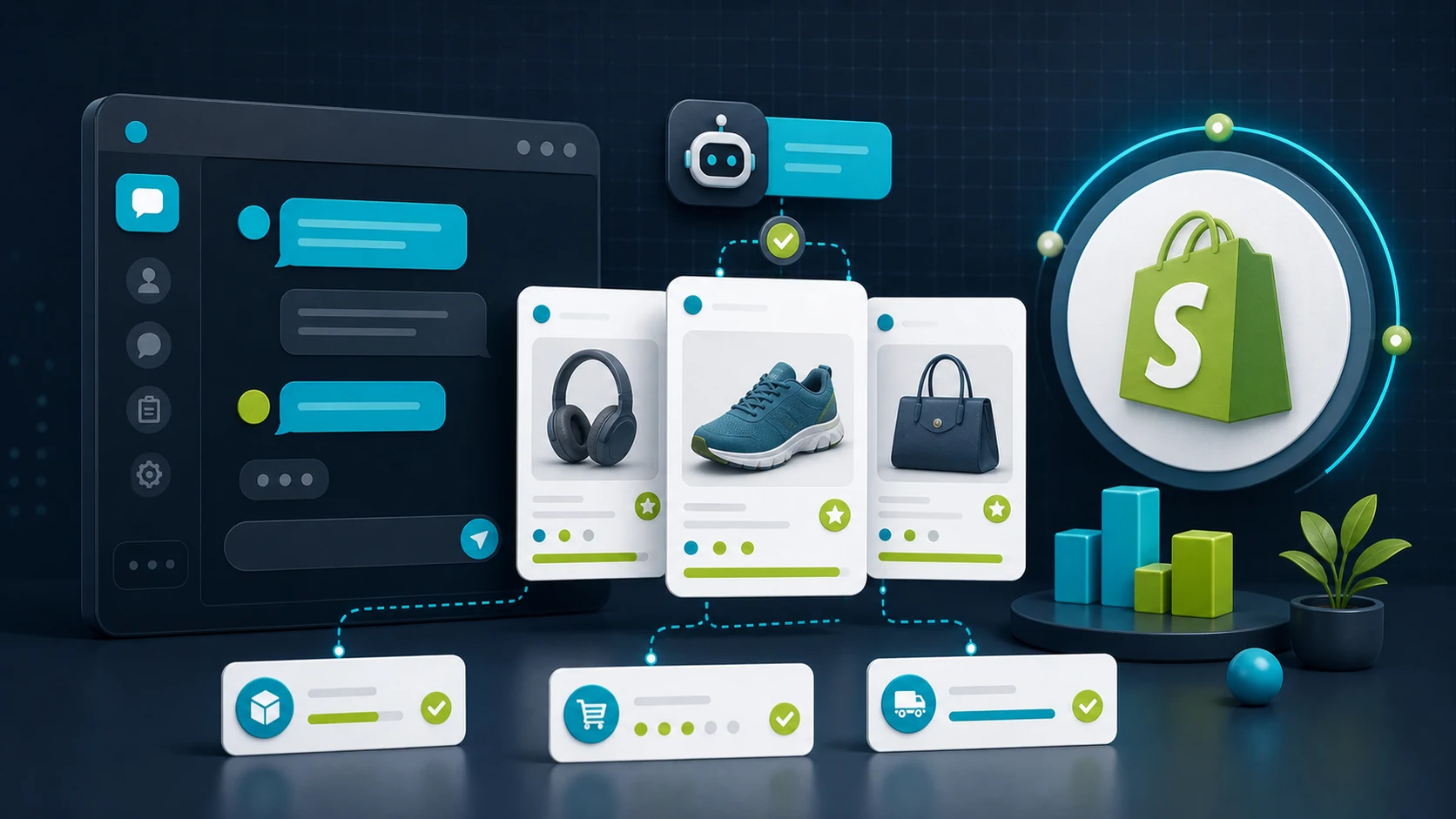
Chatbase's native Shopify integration installs in one click and turns on five actions: Get Products, Get Orders, Get Cart, Update Profile, and Update Billing Address. A friend's store flipped all five on day one. By Wednesday they had seventeen support tickets about wrong billing addresses changed in chat. They disabled the bot Thursday. The capabilities are real — and so is the pattern of disabling them again. This guide is how to decide whether your store needs the full set, can phase them in carefully, and is worth the operational complexity.
- Updated
- June 4, 2026
- Read
- 12 min
- Evidence
- V3 visual + H3 hands-on
On this page
- See Chatbase Shopify Actions in motion (3 min)
- The 5-Action Risk Ladder at a glance
- The integration is four months old; the playbook is not
- Is Chatbase right for your store?
- Five actions Chatbase ships for Shopify
- Which plan fits which store
- Where another chatbot fits your store better
- The case for enabling all 5 actions on day 1
- Two jobs. We picked one.
- If you install: the launch plan
- Frequently asked questions
Watch first (3 min)
See Chatbase Shopify Actions in motion.
Before we rank the five actions by risk, here's what the Chatbase Shopify integration looks like in a real store — the dashboard, the action toggles, the chat widget on the storefront. Roughly three minutes; the rest of this guide assumes you've seen these mechanics work.
At a glance
The 5-Action Risk Ladder.
Bookmarkable table. The single axis is customer-blast-radius if the action misfires: how many customers a wrong response touches, how reversible the mistake is, and how much store-specific testing is needed.
| Rung | Action | Risk | Reversibility | Provable in Action Preview? | If it misfires… |
|---|---|---|---|---|---|
| 1 | Get Products | Lowest | Recoverable | Yes (Action Preview) | Wrong product recommendation costs one missed sale |
| 2 | Get Orders | Medium | Reversible (one customer) | No (needs auth) | Wrong order data confuses one shopper at a time |
| 3 | Get Cart | Medium | Visible fast | Embedded theme only | Broken cart affects every checkout but you see it immediately |
| 4 | Update Profile | High | Persists | No (needs auth) | Wrong profile change touches the customer's account |
| 5 | Update Billing Address | Highest | Payment-adjacent | No (needs auth) | Wrong billing change can become a chargeback or invoice dispute |
Native install, no risk model
The integration is four months old. The launch playbook is four days old.
Chatbase announced its native Shopify integration on 2026-02-24, and a one-click no-code setup guide followed on 2026-03-06. Both ship with all five actions enabled by default in the dashboard, no friction to flip on. The native install is excellent engineering. The risk model is missing.
A chatbot that resolves 90% of conversations and mishandles 2% of billing-address changes is a chargeback queue with a smile. The 4.8/5 rating on Chatbase's Shopify App Store listing (18 reviews) is real — but it's a rating from stores that finished the testing work the install didn't ask them to do.
Your first quarter without a defensible sequence looks like Chatbase's case-study numbers (conversion 1.8% → 3.5–4%, AOV +18–25%, response time under 10s) until the first billing-address mishandle. One chargeback costs more than a quarter of that upside.
Is Chatbase right for your store?
The five Shopify Actions split your decision into three honest answers. Match your store to the closest profile below.
Yes — Chatbase is a strong fit
You have ≥50 SKUs with variants, product-discovery questions bury your support inbox, and you have someone (you or a contractor) who can phase actions in over 2–4 weeks. Hobby plan ($32/mo billed annually) covers the three reversible actions with room to spare.
Maybe — Chatbase works, but consider less
You're a one-person store under 500 SKUs and your support load is mostly "where is my order?" — you'd likely use Get Products and Get Orders only. Chatbase will work but you may be overpaying vs a narrower tool. Try the free plan first.
No — Chatbase isn't the right tool
You need enterprise-grade audit logs and approval workflows on account changes; you're running compliance-heavy categories (financial, medical); or you need tight Zendesk/Gorgias ticket integration. Chatbase's documented surface doesn't cover those.
Some outbound links may earn us a commission. Learn more.
What it can do
Five actions Chatbase ships for Shopify.
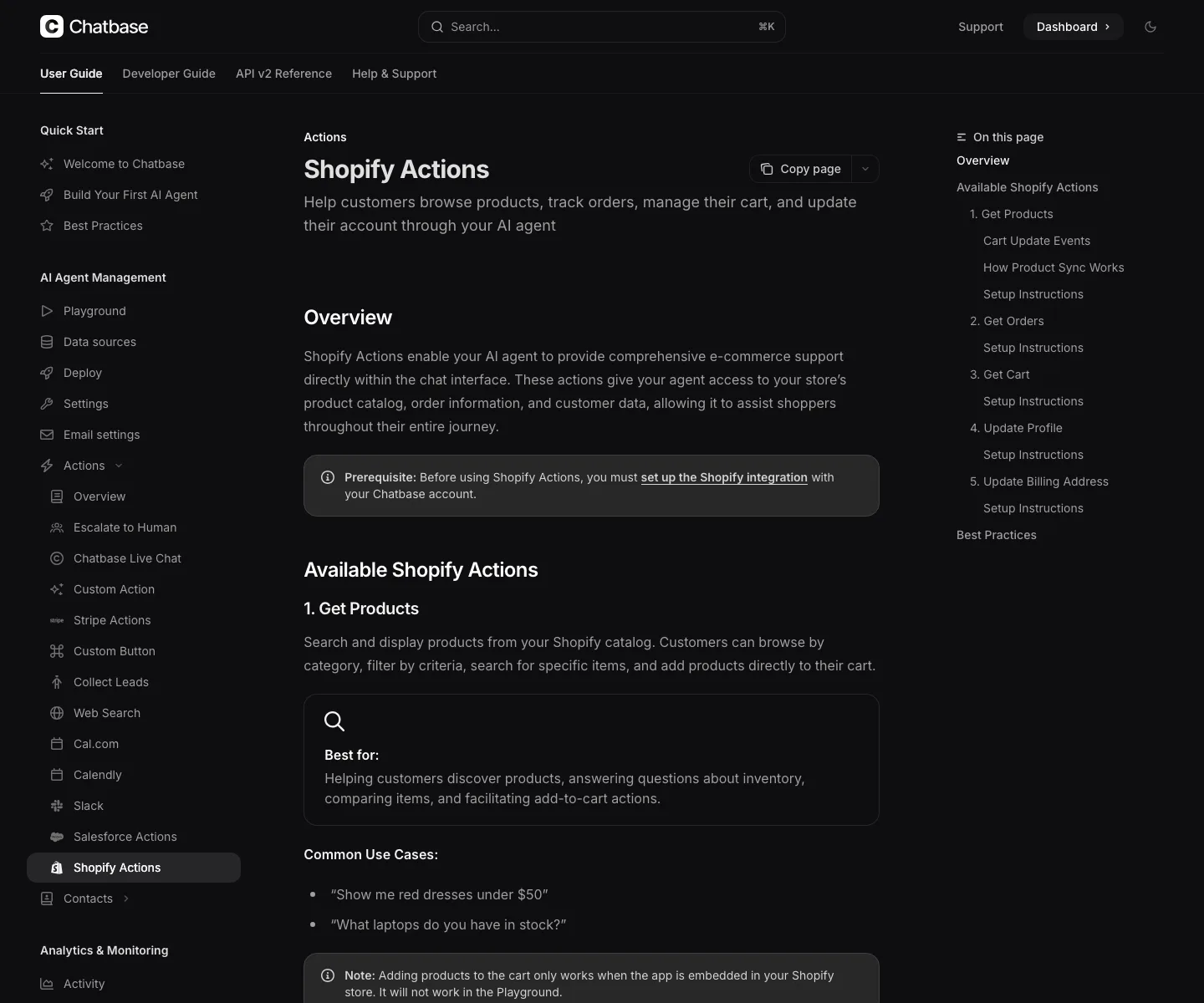
The native integration installs from the Chatbase dashboard or the Shopify App Store and adds the chat widget to your theme without code. Five Shopify Actions then become available in the agent settings: Get Products, Get Orders, Get Cart, Update Profile, Update Billing Address. Catch in the install: the four account-touching actions require the customer to be authenticated, so the dashboard's Action Preview can't prove they work — only a logged-in customer test inside the live store can.
What it costs
Which plan fits which store.
Every paid plan caps how many AI Actions a single agent can have enabled. Get Products + Get Orders + Get Cart fills three slots out of Hobby's five — leaving two spare for non-Shopify integrations like a Calendly or Slack action.
Pricing captured 2026-06-04 from Chatbase's Shopify App Store listing and the Chatbase pricing page. Annual-billing rates shown; monthly billing is higher. SaaS plans change — refresh before buying.
| Plan | Listed price | Credits | AI Actions | Best for |
|---|---|---|---|---|
| Free | $0/month | 50 credits | 0 actions | Kicking the tyres — no Shopify Actions on this tier. |
| Hobby | $32/mo annual | 500/mo | 5 actions | Most small Shopify stores. Under 1k SKUs, three to four actions enabled, one chat agent. |
| Standard | $120/mo annual | 4,000/mo | 8 actions | Stores running 5+ actions or hitting 500 messages/month. Voice access included. |
| Pro | $400/mo annual | 15,000/mo | 12 actions | Stores over 5,000 SKUs or multi-agent setups across Shopify + helpdesk. |
Pick guide: if your store is under 1,000 SKUs and you only need Get Products + Get Orders + Get Cart, Hobby ($32/mo) is enough — leave Update Profile and Update Billing Address off and you'll never bump the 5-action cap. If you want voice or you're combining Shopify Actions with a Calendly/Slack/Stripe integration, jump to Standard ($120/mo). Pro is overkill unless you're running multi-agent at scale.
If not Chatbase
Where another chatbot fits your store better.
Chatbase isn't the only Shopify-capable chatbot. Three honest swap-outs to consider before you sign up:
- Order-status only? ChatBot.com and Tidio both handle order-status well at a simpler scope and lower starting price than Chatbase. If "where is my order?" is your only support pain, the five-action surface is more than you need.
- Already running Zendesk or Gorgias? Their built-in AI handoff is tighter than Chatbase's external integration. Chatbase wins on conversational quality; Gorgias-native wins on ticket workflow.
- Want self-hosted / open source? FastBots and Botpress give you control over data and trigger logic that a closed SaaS can't. The trade-off is setup time and ongoing maintenance.
For the side-by-side: Chatbase vs ChatBot.com and Tidio vs Chatbase.
Day-1 launches that worked
The case for enabling all 5 actions on day 1.
Plenty of merchants enable all five on launch day and ship fine. Their stores are real, the conversion gains are real, and we are not claiming otherwise. Here is the strongest version of the case for shipping everything at once:
- Chatbase's own case-study numbers favour speed. Chatbase reports conversion lifts of 1.8% → 3.5–4%, 90–93% chat-satisfaction, and 90–92% resolution without escalation. Each week of delayed launch is measurable foregone revenue. The actions are the value.
- The install is one click; the action surface is one toggle. Chatbase's no-code setup guide ships with all five actions visible at the same dashboard. There is no engineering reason to enable them serially.
- Shopify itself enforces authentication for the account-changing actions. Update Profile and Update Billing Address require the customer to be logged in. The platform already provides part of the safety net the ladder is asking you to build.
- A 4.8/5 rating across 18 Shopify App Store reviews is not nothing. Real merchants are running this in production. The category isn't ringing alarm bells.
What this argument gets right: the engineering really is solid, the install really is one click, and the actions ARE well-documented. The conversion uplift Chatbase reports is real. Stores that enable all five and never hit a problem exist — we are not pretending they don't.
What it misses, sharper. A 90–92% resolution rate that includes a 2–3% misfire on Update Billing Address is a chargeback queue. The four product-and-information actions and the one billing-adjacent action are not the same kind of operation — they have different reversibility characteristics, different customer-trust implications, and different recovery paths when something goes wrong.
The case-study numbers (1.8% → 3.5–4% conversion, 90–93% chat satisfaction) report happy-path metrics. They do not report the cost of a single mis-routed billing change against the lifetime value of a churned customer. They do not report the support-team overhead of triaging a wave of "I never asked you to change my address" tickets. They do not report the lost-trust hangover that follows a chargeback wave on a small store's record.
The case-study numbers are not lying. They are reporting what they measured. The Risk Ladder is not "don't ship." It is "don't ship the irreversible alongside the reversible." Sequence is not slowness; it is sequencing your customer-trust risk so a single misfire is one customer's bad day, not a chargeback queue.
Scope
Two jobs. We picked one.
A Shopify owner deciding which actions to enable isn't doing the same job as a developer learning how to install them. We picked the first job:
Best for
- Risk-tiered decision-making across the five Chatbase Shopify Actions — the 5-Action Risk Ladder is the structural difference vs every SERP top-3 result.
- Naming the irreversibility difference between Get Products (recoverable) and Update Billing Address (payment-adjacent).
- A defensible launch sequence for stores that have not yet enabled actions.
Not best for
- The technical install process — Chatbase's own no-code Shopify setup guide (2026-03-06) is the deeper source. Four annotated dashboard screenshots, eight steps, vendor-authoritative.
- Live-store screenshot evidence — ChatbotEdge has not configured Chatbase against a production Shopify store. For live UI footage, see the third-party Chatbase e-commerce tutorial (2026-04-10).
- Multi-vendor comparison — Chatbase's own 6 Shopify chatbots compared (2026) covers that ground, even though it's vendor-authored.
If you install: the launch plan
Day 1, day 7, day 14: how to phase Chatbase Shopify Actions in.
- Enable Get Products on day 1 — if you have ≥50 SKUs with variants and shoppers regularly ask "do you have this in [colour/size]?" in chat. This is the highest-leverage first action — a misfire is just a missed sale, not a customer disruption. Run 5 product-variant questions through it in the Action Preview before going live.
- Enable Get Orders on day 7 — if your support inbox is buried in "where is my order?" tickets. Action Preview cannot prove this works; ask one logged-in customer to test it in your live store, with a real order, before enabling for everyone.
- Enable Get Cart on day 14 — only if your theme is Dawn or another vanilla Shopify theme without custom cart-drawer apps. If you run Slide Cart, Bold, or a custom drawer build, leave it OFF until you have tested mobile + desktop + cart drawer manually.
- Leave Update Profile + Update Billing Address OFF — for the first launch. Turn them on only after (a) the four reversible actions have run cleanly for 30 days, (b) you have written confirmation wording ("Are you sure you want to change your billing address to X?"), (c) you have an audit log, and (d) a human-fallback path is defined and tested.
- Route to a person instead — for refunds, disputed charges, fraud signals, missing-package claims, account-recovery requests, or anything the action set cannot reverse. The bot's job is conversation, not adjudication.
Sources
Where we got the facts.
Current Chatbase pages, dated. ChatbotEdge has not configured Chatbase against a production Shopify store; if a later hands-on test changes what we can verify, the evidence tier in the sidebar updates first.
- Chatbase Shopify integration (docs)
- Chatbase Shopify Actions (docs)
- Chatbase Actions overview (docs)
- Chatbase no-code Shopify setup guide (vendor blog, 2026-03-06, 4 official dashboard screenshots)
- Chatbase native Shopify integration announcement (changelog, 2026-02-24)
- Chatbase ecommerce case study (conversion 1.8%→3.5-4%, AOV +18-25%, response time <10s)
- Chatbase on Shopify App Store (4.8/5, 18 reviews as of 2026-06-04)
- YouTube: Best AI Chatbot for Shopify 2026 — Chatbase Setup & Full Walkthrough (featured video, third-party)
- YouTube: Chatbase Tutorial for E-commerce (third-party walkthrough, 2026-04-10)
- Chatbase ecommerce & retail
- Chatbase pricing
FAQ
Chatbase Shopify Actions: common questions.
What does Chatbase's documented Shopify action surface actually cover?
Chatbase documents five Shopify Actions: Get Products, Get Orders, Get Cart, Update Profile, and Update Billing Address. The official docs frame the surface as helping customers browse products, track orders, manage their cart, and update their account through your AI agent. That is broader than most documented Shopify chatbot integrations in our shortlist, but the breadth is the point of friction: every action beyond Get Products needs authentication and store-specific testing before launch. For order-status specifics, the companion guide on Shopify order-status chatbots compares this against ChatBot.com and Tidio .
Reviewed · Sourced from Chatbase Shopify Actions
Why can't Chatbase Shopify Actions be proven in the dashboard preview?
Chatbase explicitly documents this limitation. For Get Orders, Get Cart, Update Profile, and Update Billing Address, the docs say each action cannot be tested in the Action Preview on the dashboard, as it requires the user to be authenticated in order to work properly. That means a dashboard demo is not proof for any account-touching action. The only credible proof is a logged-in customer test inside the real Shopify store, ideally with edge cases like guest orders and email mismatches in the test plan.
Reviewed · Sourced from Chatbase Shopify Actions
Does Chatbase's cart action work outside the embedded Shopify widget?
No. Chatbase docs say adding products to the cart only works when the app is embedded in your Shopify store, and similarly for cart retrieval. That has two consequences. First, the Playground preview cannot prove cart behaviour, so a dashboard demo is misleading for theme-level cart updates. Second, the install path matters: the widget needs to be embedded inside your live theme, not just connected through the dashboard, before cart actions behave correctly across mobile, desktop, and the cart drawer.
Reviewed · Sourced from Chatbase Shopify Actions
How does the Chatbase plan limit Shopify action use?
Each Chatbase plan caps the number of actions an AI agent can enable. The Free plan has 0 AI Actions per agent, Hobby includes 5 enabled AI Actions per AI agent, Standard includes 8, and Pro includes 12. With five documented Shopify actions on top of any non-Shopify actions you might want (Stripe, Calendly, Slack, custom actions), the Hobby plan can run out of action slots fast. Cost the action count, not just the message-credit allowance, before settling on a plan. See the companion AI chatbot pricing guide for small websites for the full unit-by-unit comparison.
Reviewed · Sourced from Chatbase pricing
Which Chatbase Shopify Action should I enable first?
Climb the 5-Action Risk Ladder one rung at a time, starting with Get Products. Product search is the lowest-risk first test: a wrong product recommendation is recoverable, a wrong profile update or billing-address change is not. Run the awkward catalog cases (out-of-stock variants, sold-out colours, ambiguous queries), confirm the product cards link to the right pages, then add Get Orders only after authenticated testing. Leave Update Profile and Update Billing Address (the top of the ladder) switched off for the first launch unless there is a documented store need that justifies the higher review bar.
Reviewed